AI's Core Concepts in Plain Language

Translated from the original Chinese article. Some illustrations are from the original and may contain Chinese text.
Are terms such as LLM, Agent, Prompt and Harness confusing? In this video I want to explain and connect them in one go, so you can understand them and explain them to someone else.
To understand what people are talking about with AI, start with the Agent and remember one formula:
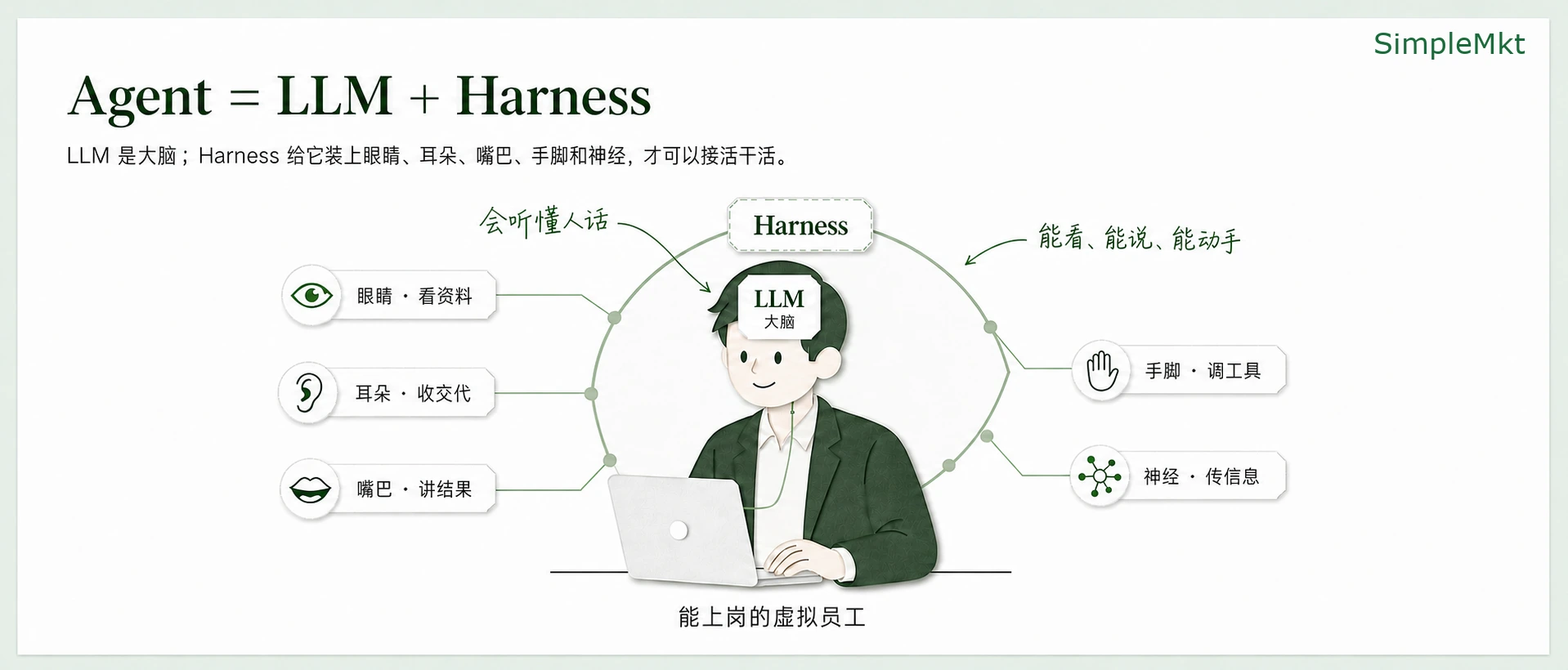
First, remember: Agent = LLM + Harness
Agent = LLM + Harness.
An Agent is not just a chat box: it is a virtual employee who can work
Imagine you are a boss. Think of an Agent as a newly hired virtual employee who lives on your computer.
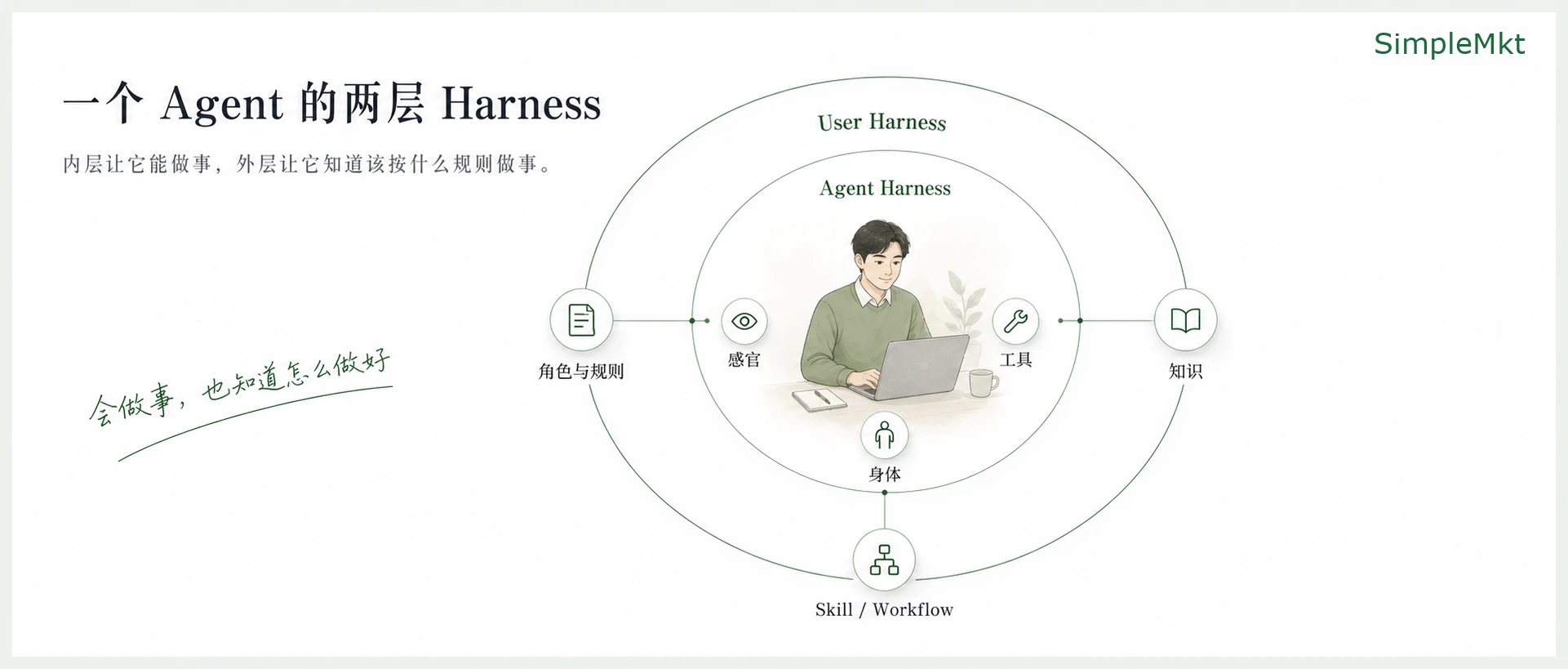
To work, the employee needs a brain that can understand human language and form sentences. That brain is an LLM, or large language model. But a brain is not enough: the employee must also receive instructions, answer, inspect materials and perhaps take action. If they work on your business, they need to know company rules and SOPs. Give the brain a body, senses, hands and feet, tools, an environment and directions for how to work. I call everything beyond the brain the Harness.
For the model brain to become a virtual employee who can actually work, it needs two layers of Harness.
First Harness layer: give the brain a body
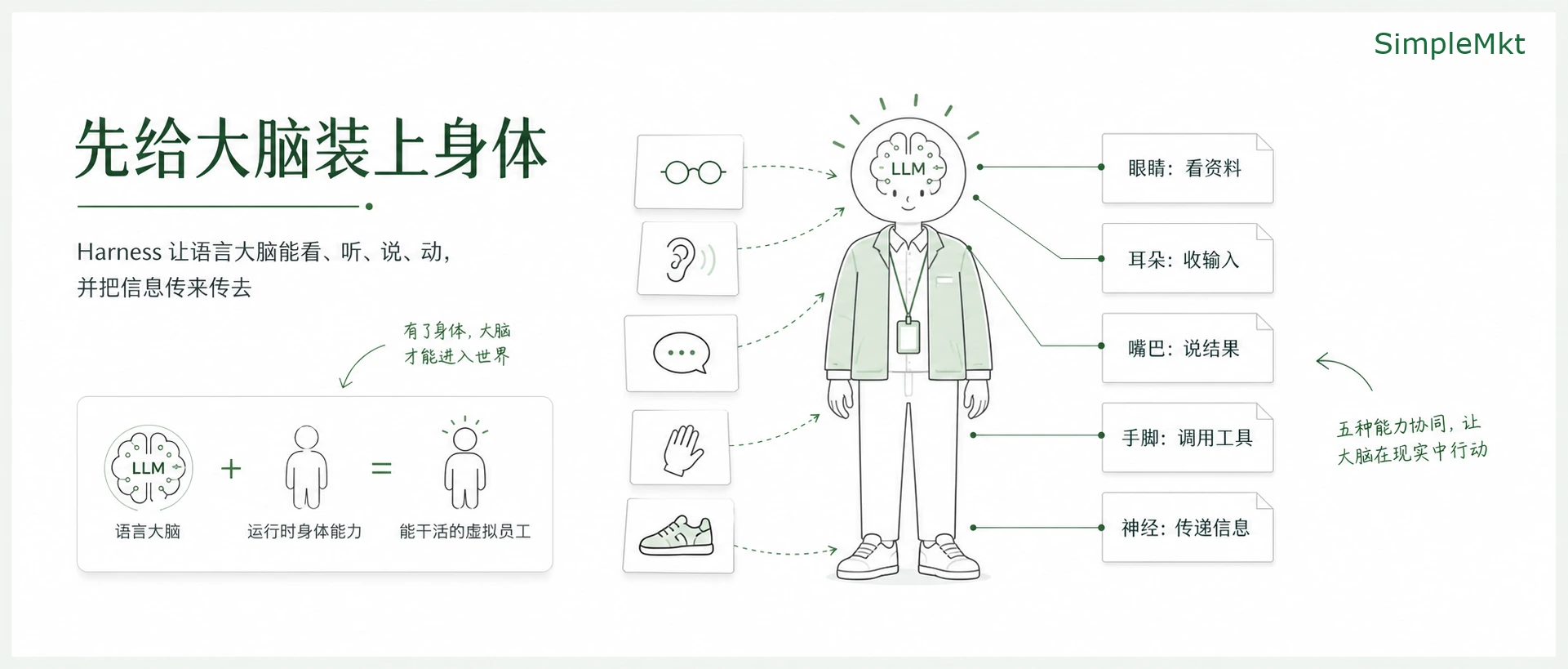
The first is the Agent Harness, the body layer. Before the brain can begin, it needs a body through which to run and call capabilities: eyes to inspect material, ears to receive input, a mouth to converse and report, hands and feet to use tools, and a nervous system to pass information between the brain, eyes and limbs.
This layer is usually built by people at model companies who train LLMs and make Agent products. My reasoning is simple: the companies and people who can train the brain are best placed to create the mechanism by which it calls on the body.
Many AI products we use and discuss are therefore Agents, not merely large language models.
Chatbots, GUI Agents and CLI Agents: three shells for the same employee
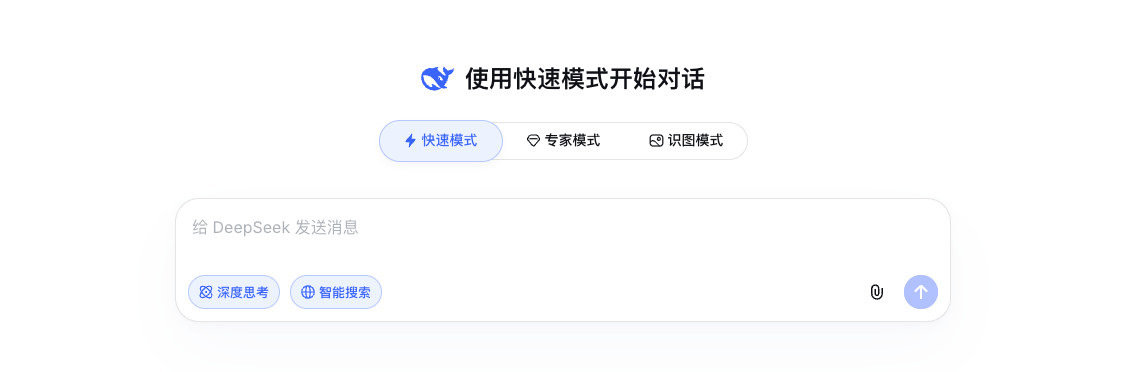
Agents differ according to how heavy or light their body Harness is. Phone or web products such as Doubao and DeepSeek with a chat box are generally called chatbots: Agents that can chat but cannot do hands-on work. They can read what you provide and the chat history, converse and perhaps remember a little about you, but cannot reach into your computer system to directly inspect and modify files.
Agents such as Workbuddy, Trae and the Doubao desktop app add limbs and tools to a chatbot and can operate on local files. The visible form of their Harness is a GUI. They generally interact with people through websites or desktop software and have a lower entry barrier: they look simpler, expose less underlying code and let you click buttons for many actions. Behind a button is essentially a code command, allowing people who cannot code to issue commands through the interface.
Companies making these products usually configure tools for you: less to worry about and usable out of the box. The tradeoff is less freedom and a heavier Harness shell. Having the LLM operate that shell can be like driving a large robot, with some corresponding heaviness in its results.
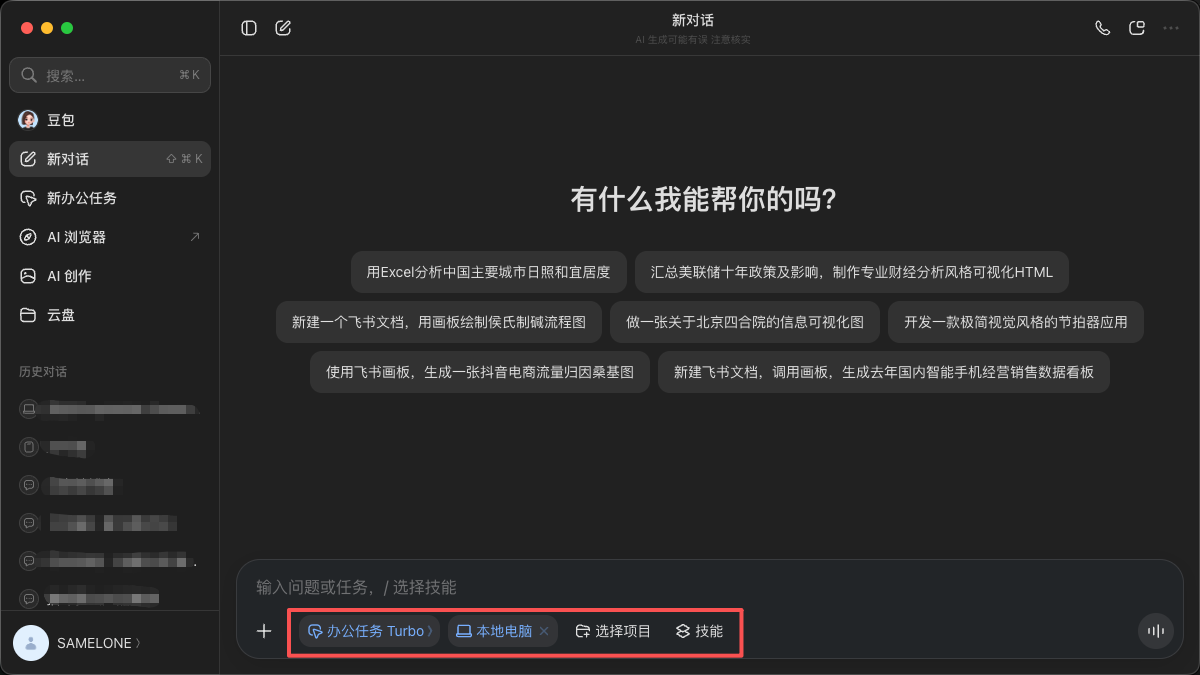
Examples I consider strong include the Codex and Claude Code desktop apps overseas; in China, Tencent's Workbuddy, Alibaba's Wukong, ByteDance's Doubao and newer AI-company desktop apps such as MiniMax, Kimi and Zhipu.
GUI Agents evolved from programmers' IDEs: tools and platforms for writing and managing code centrally, themselves a form of GUI. Cursor overseas and TRAE in China embedded Agents in IDEs; they have since moved toward simpler Agent forms aimed at work scenarios, such as products named “X Work.”
Another form is the CLI Agent, which operates in a terminal. Claude Code is an example. Strictly, Claude Code is an Agent Harness; Claude Code plus an LLM is an Agent. I often pair it with Chinese LLM brains such as Kimi and DeepSeek.
This shell is much lighter than a GUI Agent. If a GUI is an Agent dressed in attractive clothes with a mouth, eyes and tools, a CLI Agent may have only a thin skin; you may need to install its eyes or some working tools yourself. Because it is closer to the code and less constrained by the body, there is more room to customize it and it can work more efficiently. There is less code for appearance and convenience to manage and understand, and, once proficient, you can better understand the Agent's underlying construction.
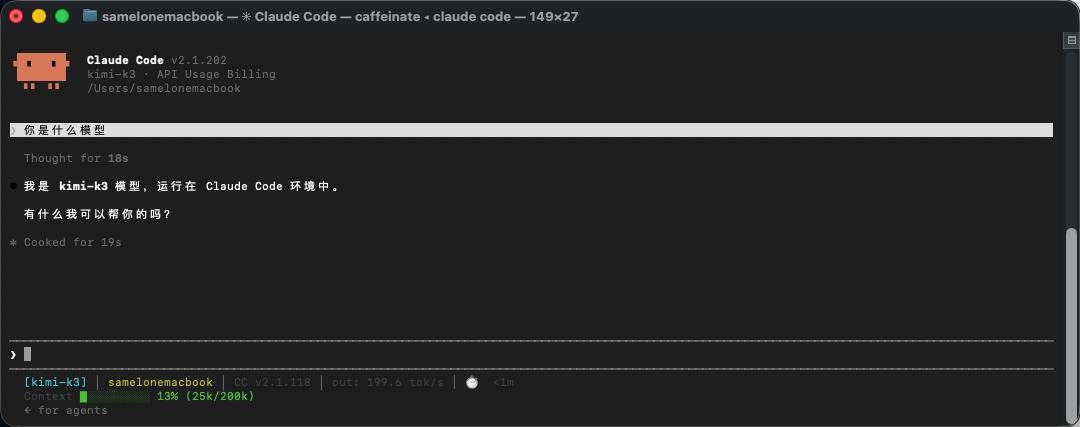
Most people will encounter these three forms: chatbot, GUI Agent and CLI Agent. Choose an entry point according to your ability to learn and understand.
I began with a chatbot, moved to IDE-based Agents such as Cursor and Trae, then to CLI Agents such as Claude Code. I now mainly use a combination of GUI and CLI Agents. If you want to understand Agents deeply and gain practical ability, I recommend using a chatbot for everyday conversation, a GUI Agent for work, and gradually moving to a CLI Agent. My earlier piece “After a Year Using AI, Four Detours Before I Reached the Threshold” describes my progression; it is on my profile and personal website, simplemkt.cc.
Second Harness layer: give the employee a job manual
Once you download and open an Agent product, is it ready to work? Not quite.
The Harnesses supplied by most large companies are general-purpose and may not match your business. They are like a smart recent graduate produced by a large company. In my view, CLI Agents such as Claude Code have a relatively well-developed Harness and can work somewhat like a project manager; most Agents available today still have comparatively incomplete Harnesses—like graduates missing an arm or a leg. They can do many things, but not everything well.
You need to add some Harness yourself:
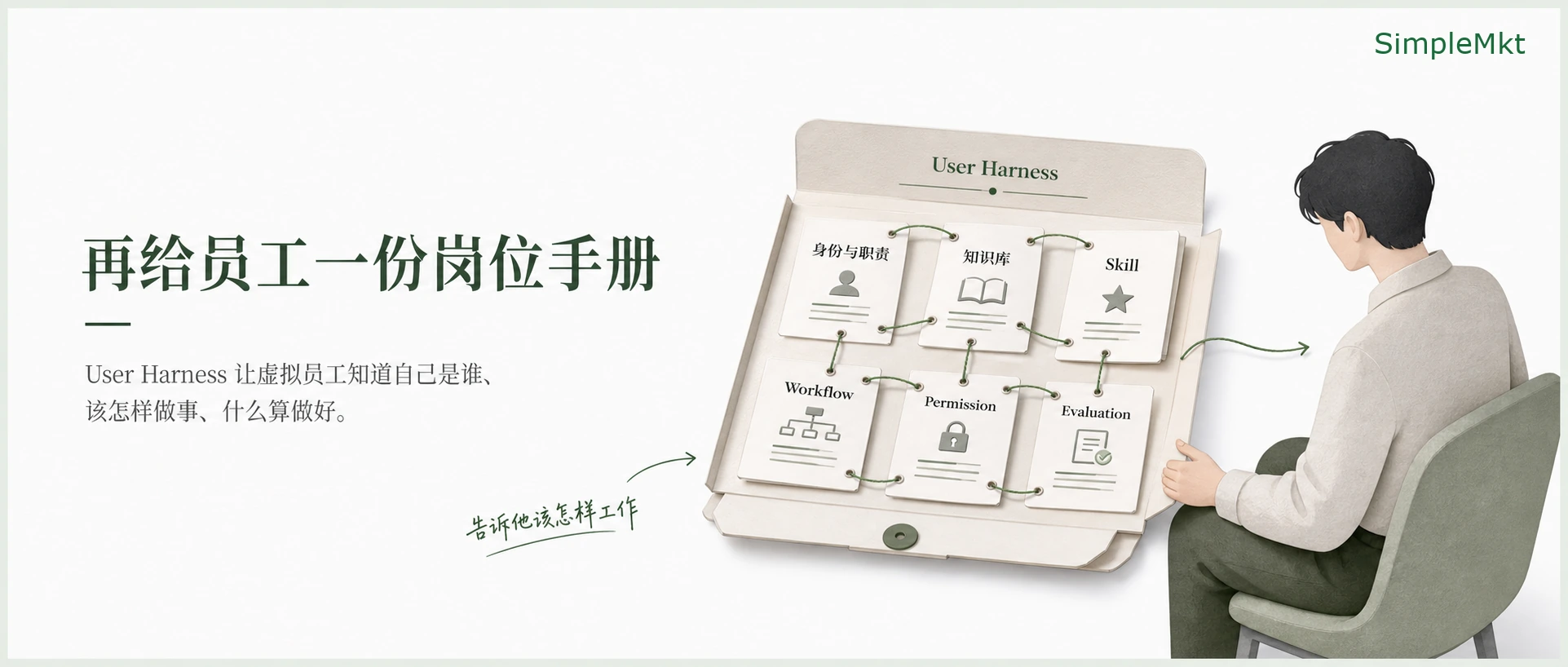
- Provide onboarding in files on the computer that the Agent can read and operate on—for example, a knowledge base it can access at the right time.
- Write a system prompt defining its identity, responsibilities, permitted actions and prohibitions.
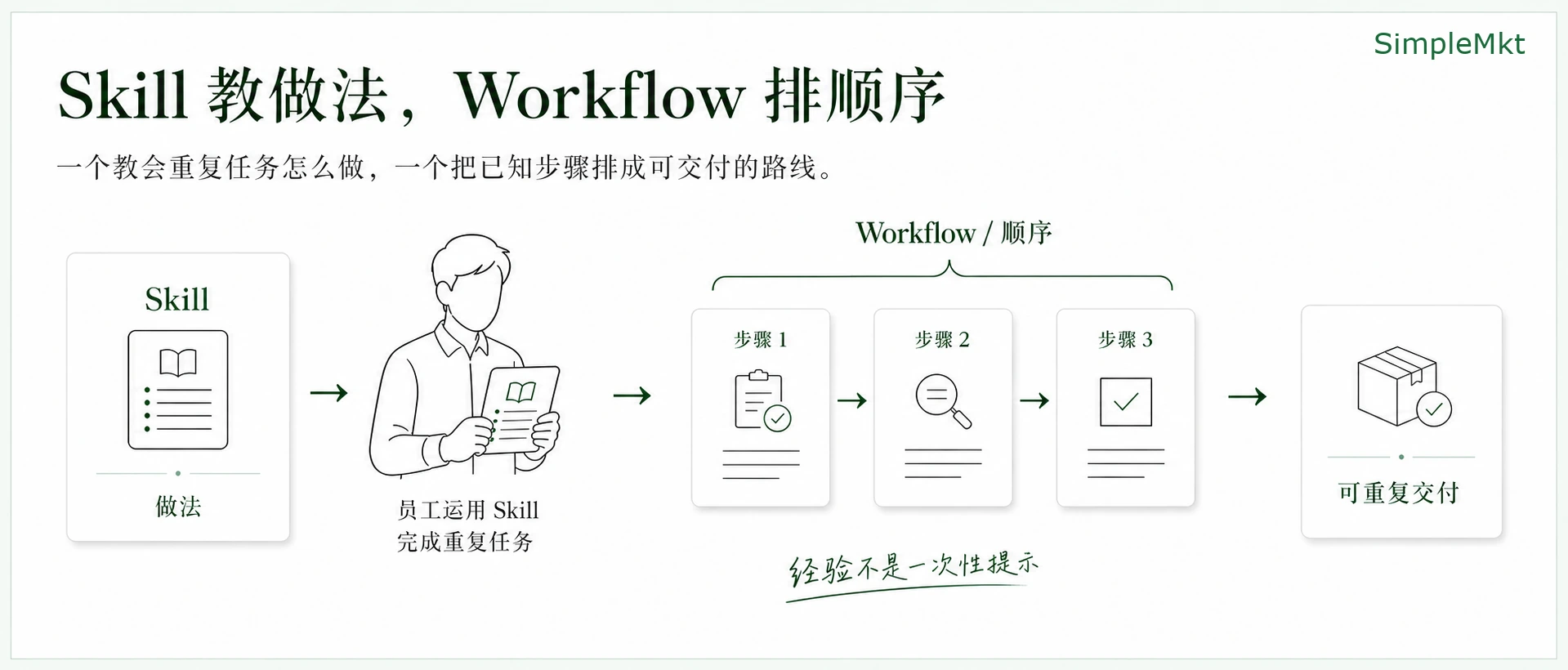
- Give it a Skill explaining how to do a kind of task efficiently. A Skill is read when needed, an approach also called progressive disclosure.
- If a specification says what to do first and next, turn it into a Workflow.
- Hard limits about what can be touched and what requires asking you are Permissions or Gates.
- Assessing and reviewing how well it did is Evaluation.
Together I call this layer the User Harness. It is where most people can make a real difference in how they use an AI Agent.
The two layers together give the virtual employee both a body to act and an understanding of whose rules to follow and what counts as good work.
A complete work chain: from Prompt to action and back to the desk
How does this virtual Agent communicate with us, analyze instructions, execute and return a result? The full chain looks like this.
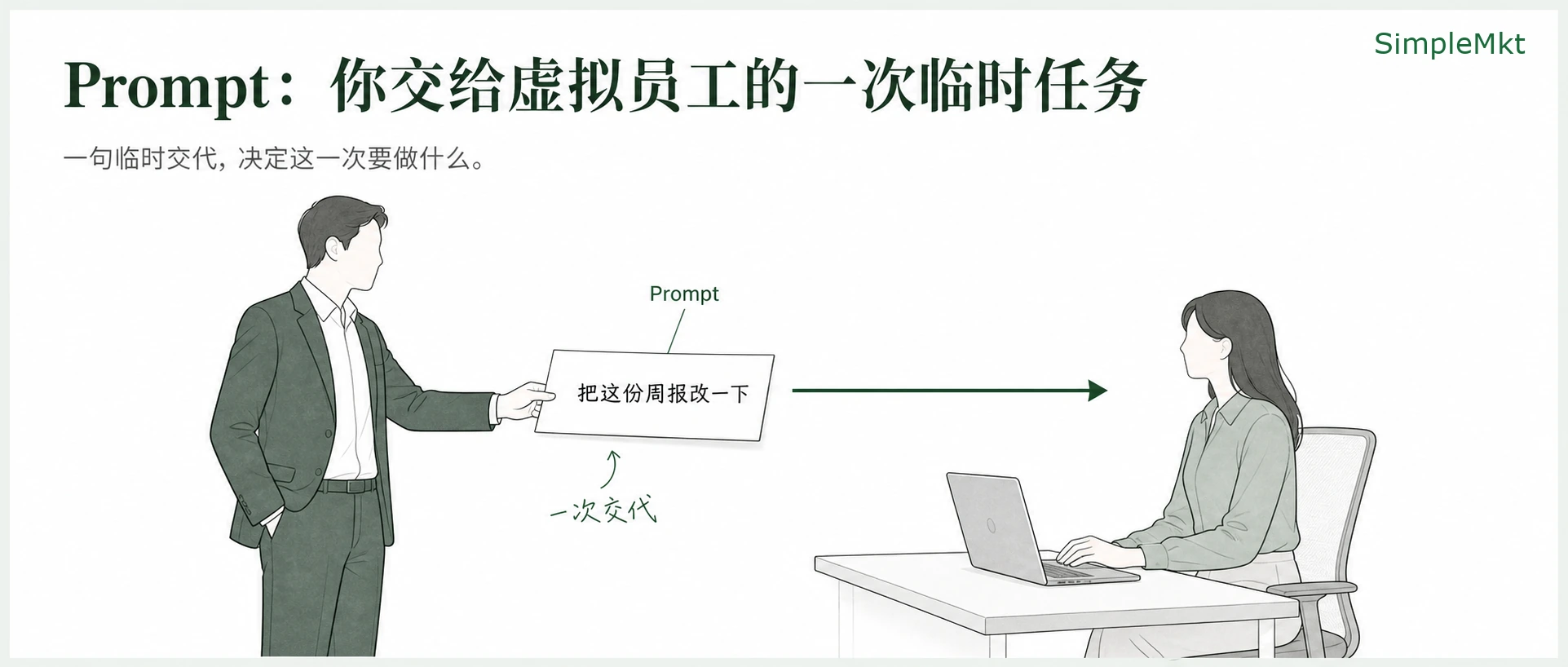
1. Prompt: a temporary assignment to the virtual employee
You say in the chat box, “Revise this weekly report.” That one-time instruction is the Prompt. Writing it so the Agent better understands your needs and produces a good result is Prompt Engineering.
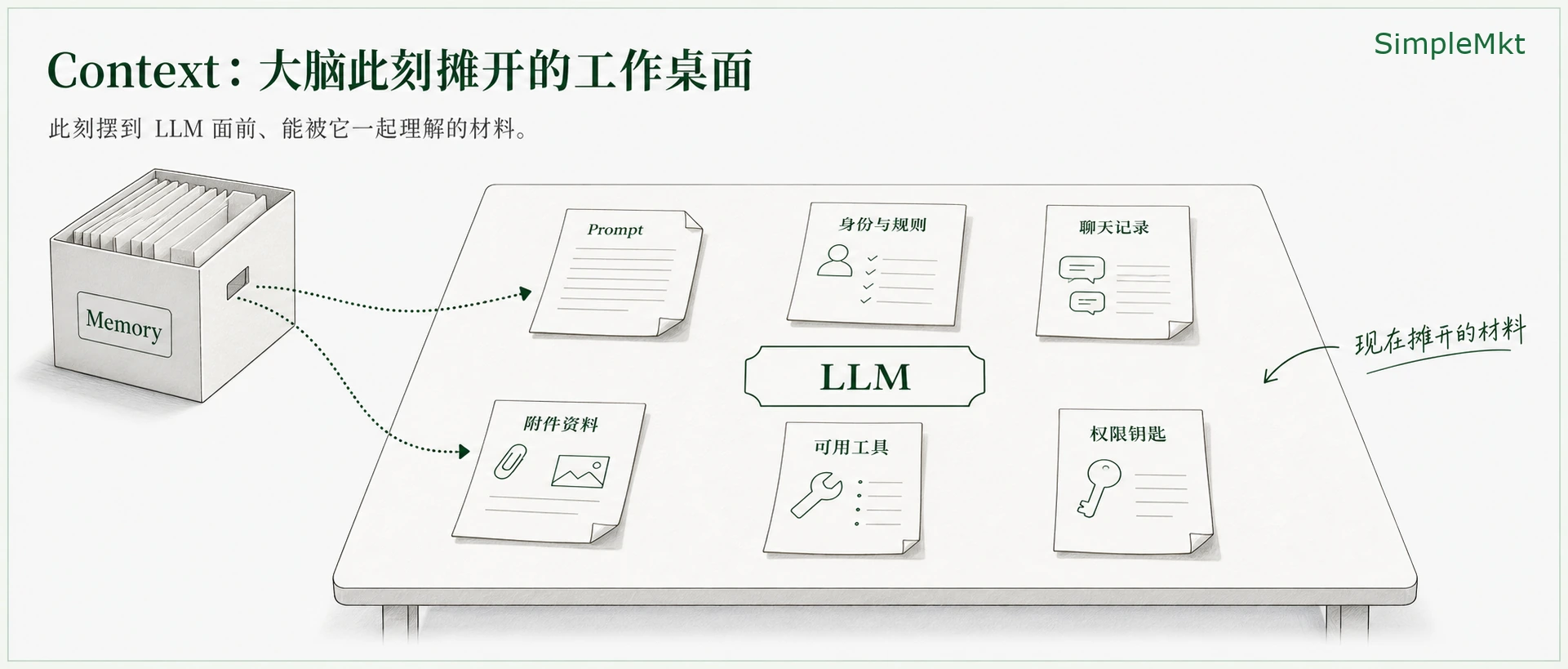
2. Context: the work currently laid out on the brain's desk
After receiving the Prompt, the Agent does not simply start. Its Harness lays out the identity and rules you wrote, earlier chat, attachments, available tools and permission keys on the LLM's desk, called Context. If it has stored relevant material, it may first visit an archive and bring back related pages. That archive can be called Memory; methods for efficiently retrieving material from archives or external knowledge bases are generally called RAG.
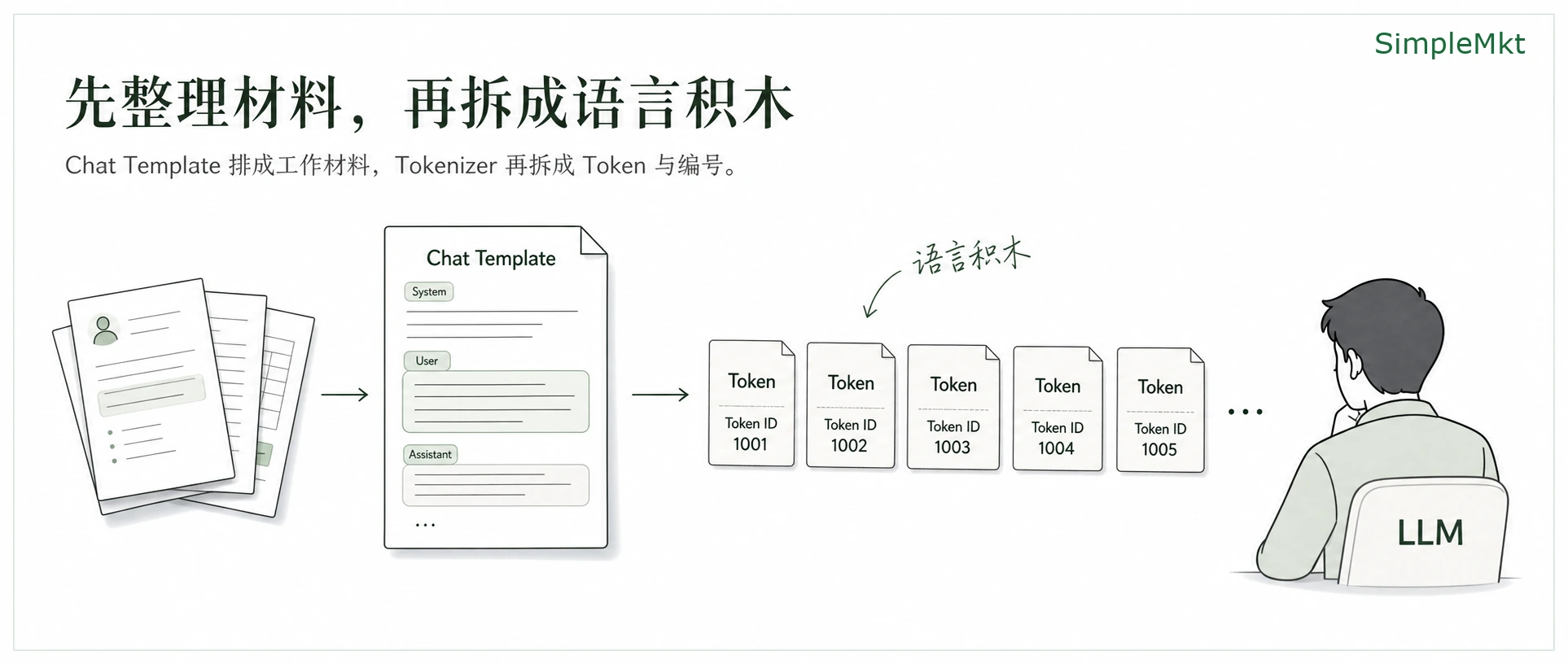
3. Chat Template and Tokens: turn material into building blocks the brain can read
Before the LLM analyzes the material on the desk, the Agent Harness arranges it into readable working material. The LLM then analyzes it; not every word sent to an Agent necessarily appears on its Context desk. The text that does appear is split into small language building blocks, or Tokens. Each has a number called a Token ID. The LLM uses mathematical calculations to analyze relationships between these IDs and predict subsequent IDs.
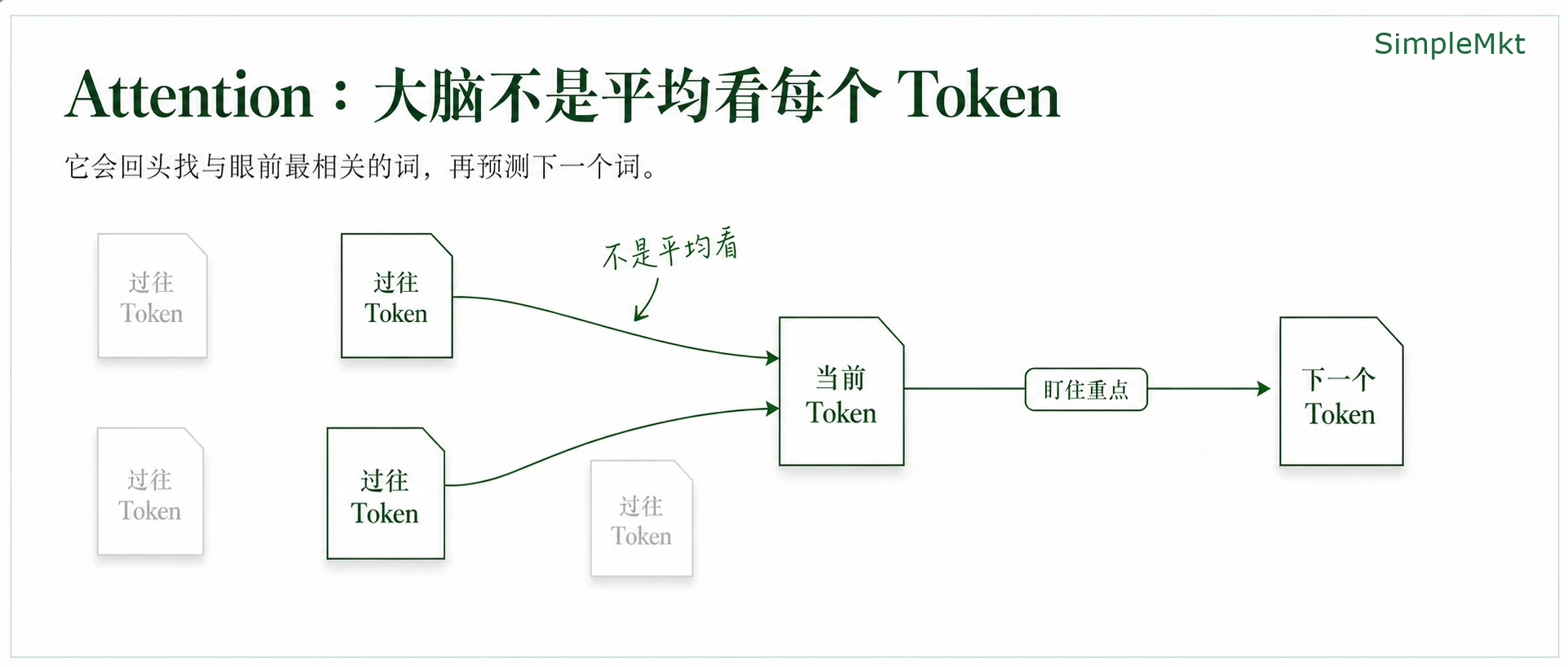
4. Transformer and Attention: focus on what matters and predict the next Token
How does the LLM view and predict Tokens? Briefly, it does not treat all Tokens as equally important. It looks at the current Token, looks back at previous Tokens and judges which are most relevant. The details are much more complex and require linear algebra and probability; interested readers can explore the Transformer KQV mechanism. This way of focusing on relevant material is called Attention, which gives the paper Attention Is All You Need its name.
The LLM predicts one Token ID at a time, converts IDs back to Tokens and words, appends them piece by piece, and the Agent Harness displays them in the interface.
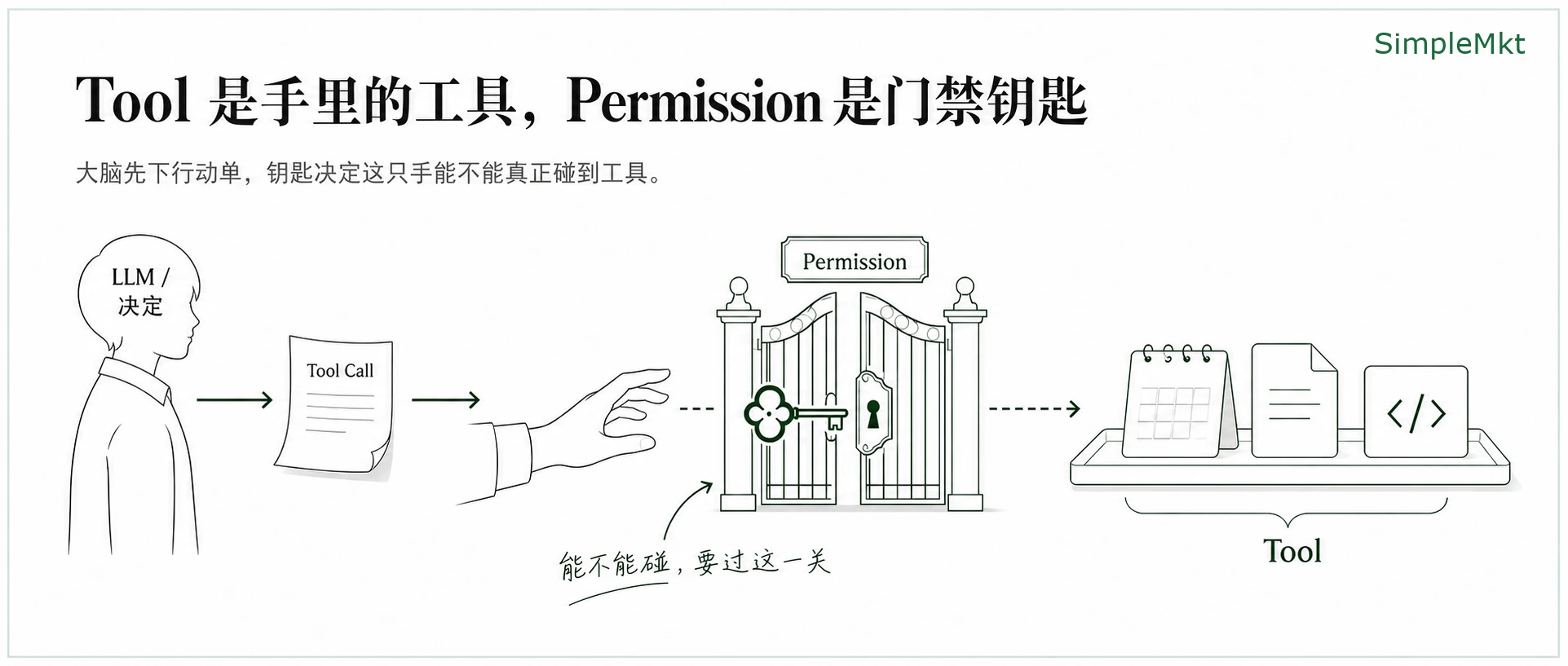
5. Tool and Permission: the limbs act after the brain decides
The gradual appearance of the response is streaming. If the brain says, “I need to check the calendar, read a file or modify code,” the Agent Harness's hands act and call tools. The specific implement is a Tool, the instruction from brain to hand is a Tool Call, and the Permission key decides whether and where the hand may touch.
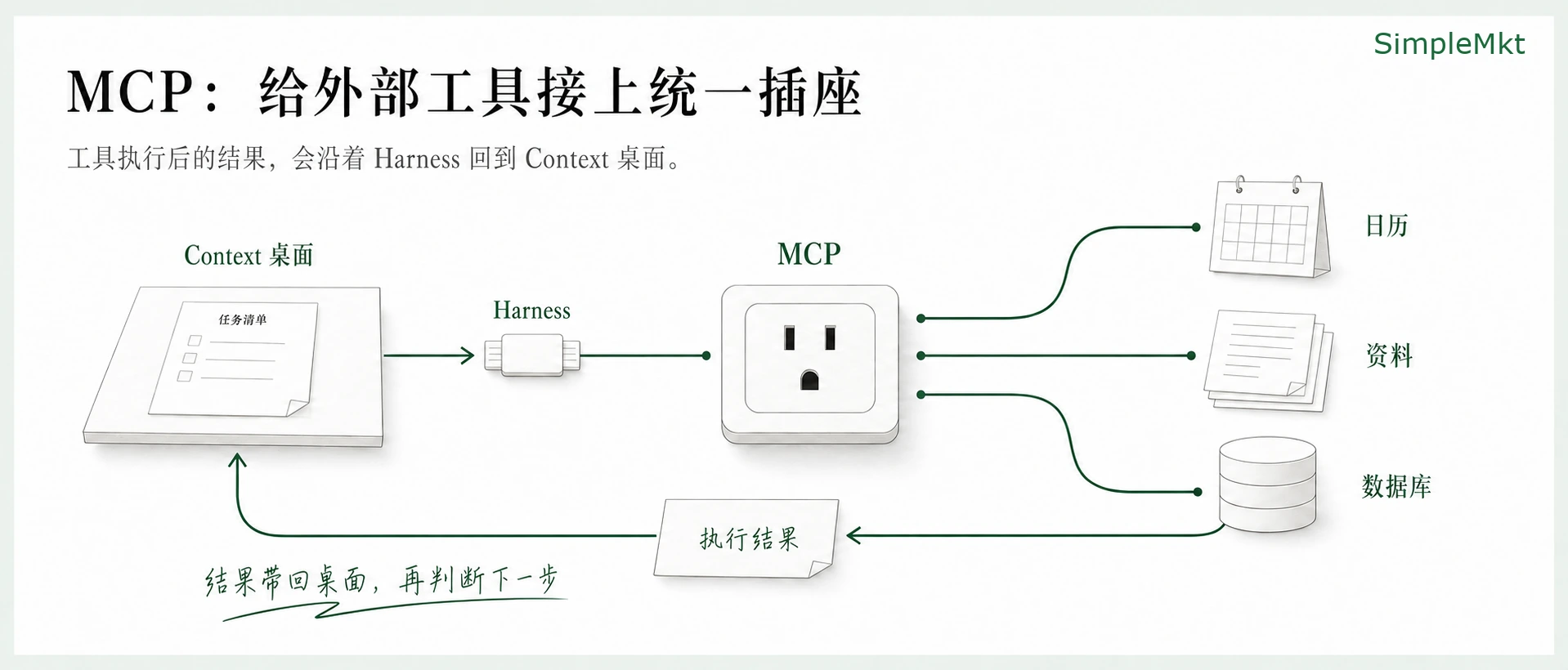
6. MCP: connect external tools through a shared socket and return results
How do external things such as calendars, Notion and databases connect so an Agent can call them? They need a usage contract or interface both the Agent and tool understand. The brain calling a tool is like directing a hand to plug into a common socket: that socket is MCP. Once the tool finishes, it returns its result through the Harness to the Context desk. The brain judges the next step until the task succeeds, fails or needs your confirmation.
7. Skill and Workflow: turn experience into repeatable methods
Agent Harnesses have become increasingly numerous and complex. For most people, it is already valuable to understand Agents, write Skills and turn prior work experience into a Workflow. Skill and Workflow are important concepts, but a small part of the Harness. How well you understand LLMs and Harnesses determines how far you can use an Agent for difficult, complex work.
Finally: what makes the difference is the Harness you give the Agent
If you want to learn more than Skills—principles, details, techniques and practical methods involving Harnesses, LLMs and Agents—follow along. I will continue publishing in this area.